



Carlospin Login & Account Registration
Carlospin login opens your personal account, where you can check your balance, use the cashier, follow promotions, and manage your profile in one place. Carlospin registration creates that account through the same entry window, so the first step stays simple on both desktop and mobile.
If you came here looking for Carlospin NL, we keep the process clear for players in the Netherlands who want fast account access.


Account access on desktop and mobile
On the homepage, you will see two clear buttons in the top-right corner. Use “Log in” if you already have an account. Use “Sign up” if you are new to Carlospin Casino. After you click, a pop-up window opens with two tabs, so you can switch between both options in one place.
| Your goal | What to click | What appears |
| Return to your account | “Log in” | Email field, password field, Forgot password? link, and a Google option |
| Create a new profile | “Sign up” | Email field, password field, promo code field, consent checkboxes, and a Google option |
| Change your route | Log in or “Sign up” tab inside the window | The same pop-up stays open, so you can move to the other action in one click |
Create a new account in the sign-up window
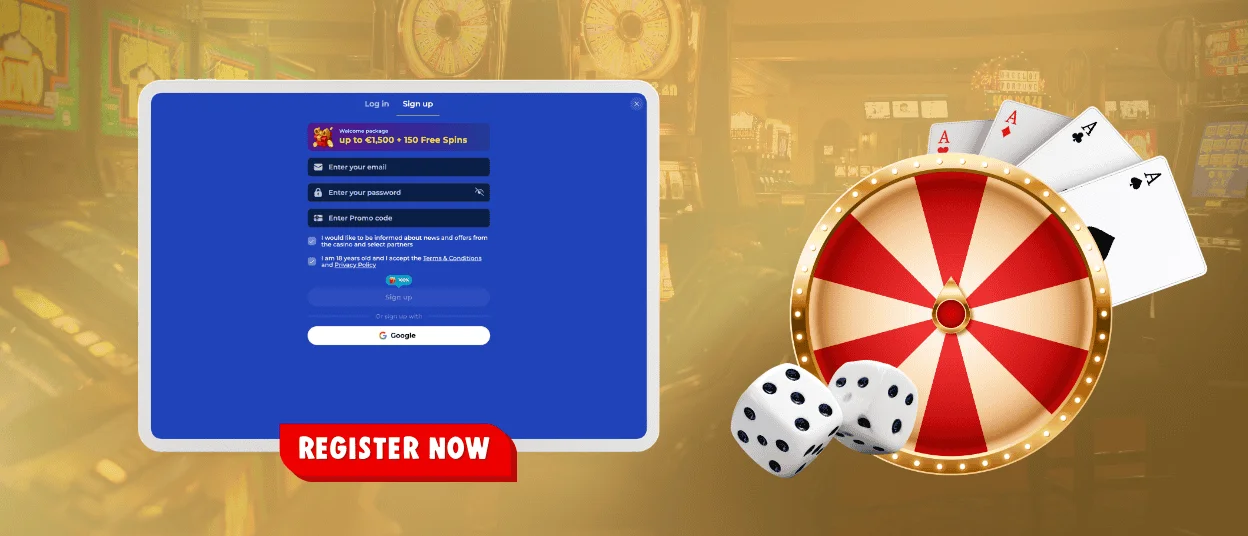
To begin, click “Sign up” in the header. The registration tab opens right away. You will see the main fields for a new profile. Carlospin registration works best when you enter real details from the start, because that makes future account support easier.
In the sign-up form, we ask you to complete a short set of actions. The flow is easy to follow. Carlo Spin registration uses the same logic, so new players always know what comes next.
- Enter your email.
- Create a strong password.
- Add a promo code if you have one.
- Confirm the required boxes for age, terms, and privacy rules.
- Click “Sign up” or use Google if that is your preferred route.
After that, you can open your profile inside Carlospin Casino and keep using the same details in future sessions. Many players first visit Carlo Spin on mobile, so we keep the form short and clear on smaller screens.
Sign in with your existing account
If you have already joined, use the “Log in” button in the header and enter the email and password linked to your profile. The pop-up gives you one direct route back to your account, and the layout stays clear on both desktop and mobile. Carlospin login is built for fast repeat access, especially when you already know your details.
You can also use Google from the login window if that matches the way you created your account. That makes Carlo Spin login even easier for players who prefer one familiar sign-in option across devices. We keep the form short because the Carlospin login should feel quick and practical.
Forgot your password or lost access?
If you cannot enter your account, start with the Forgot password? link inside the login window. Enter the email connected to your profile and follow the reset instructions you receive. Carlospin login becomes simple again once you set a new password and return to the same form.
Before you try again, take one minute to review the basics. Make sure the email is correct. Check that your keyboard language matches the password you created. If you paste the password, remove extra spaces first. Carlo Spin login issues often start with one small typing error.
Recovery route:
| Issue | Best next step | What usually helps |
| Forgot password | Click Forgot password? and use your email | Check your spam folder and wait a few minutes for the reset message |
| Login button not working | Review the fields in the pop-up | One missing field or one small typo can stop the next step |
| Google sign-in issue | Try the same Google account you used before | Mixed accounts on one device can create sign-in confusion |
| Repeated access errors | Stop and retry later from the same device | Too many fast attempts can trigger a safety check |
Smart habits for safer account access
A strong account routine protects your details and keeps daily play smooth. This matters for every Carlospin casino visitor. It is especially useful for Dutch players who switch between different networks and devices.
Use these habits each time you access Carlo Spin casino:
- keep one trusted email for your account and check it regularly
- create a unique password and store it in a secure password manager
- avoid public Wi-Fi when you enter login details
- do not use VPN tools or shared devices for account access
- sign out after each session if you use a device that is not yours
Verification when your account needs a check
We protect payments and withdrawals with account checks when they are needed. That process supports safer play and helps us confirm that the account owner and the payment method match. For Dutch players and other users who compare account rules before joining, the same advice applies. Enter real details early and keep your documents clear and current.
Our team may request identity files, address proof, or payment proof before a withdrawal review moves forward. A clear upload saves time. A blurred photo or old document usually leads to another request, and that creates an avoidable delay. The Carlo Spin casino review team also looks for matching names and readable details, which is why clean files matter from the start.
| Checkpoint | What we may ask for | What a strong upload looks like | What often slows approval |
| Identity check | passport, national ID, or driver’s licence | full name and photo stay readable | cut edges, glare, or low resolution |
| Address review | utility bill or recent bank statement | address matches your profile details | old documents or mismatched address |
| Payment review | card photo or payment proof when requested | owner name and key details stay visible | unclear image or unmatched payment data |
FAQ
Can I change my registered email later?
Usually, yes, though the casino will not replace it instantly. The registered email is tied to login recovery and account checks, so the team needs to make sure the request really comes from the account owner. If you still have access to the profile, contact support from there. If not, use the official support channel and explain that you need to replace the old address.
What happens if I make a typo in my email during sign-up?
That mistake is worth fixing early. A wrong email can stop you from receiving account messages and can also create problems when you need a password reset later. If you notice the typo right after registration, contact support before you keep using the account. It is much easier to correct the address at the start than during a later review.
Why does the site ask for extra confirmation on a new device?
A new phone, browser, or location can look unusual from a security point of view. Extra confirmation helps us protect your account and reduce the risk of unauthorized access.
Why does my session end after some inactivity?
This usually happens for security reasons. The site closes inactive sessions so another person cannot use your open account on the same device.
What should I do if I no longer have access to the Google account linked to sign-in?
Contact support before you create any new profile. Our team can review the account and guide you through the safest recovery route.


